



Description
Download Any Logo Screen Saver Creator – logo screensaver, screensaver creator, brand identity, visual branding, custom screensaver
Overview
Any Logo Screen Saver Creator is a specialized tool designed for businesses and organizations seeking to enhance their visual presence through custom digital displays. The app enables users to transform their logo into a dynamic screensaver, serving as a subtle yet effective method of brand promotion. By showcasing a company’s logo in motion, the software supports long-term brand visibility across desktop environments, particularly in office settings, client meetings, or public displays. It caters to users who prioritize professional branding and visual identity without requiring advanced design or programming skills.
The application is intended for individuals and teams responsible for corporate branding, marketing, or IT support within small to medium-sized enterprises. Its straightforward workflow makes it accessible to non-technical users, allowing quick creation of branded content without external design assistance. Real-world use cases include deploying branded screensavers on company computers, using them during trade shows, or integrating them into digital signage systems. As part of the broader productivity software ecosystem, Any Logo Screen Saver Creator fills a niche by offering a low-effort, high-impact branding solution.
The developer, identified as Any Logo Screensaver Creator, has not provided additional background information. However, the app’s long-standing presence since its release on May 22, 2008, suggests a focus on stability and consistent functionality. Despite its age, the tool remains relevant in specific branding contexts where simplicity and direct output are valued over modern, feature-heavy alternatives.
Key Features & Functionality
- User-Friendly Interface: The software is designed for minimal learning curve. Users can import their logo image file with just a few clicks, enabling rapid setup and immediate preview of the final output. This accessibility ensures that users of all technical levels can create professional-grade screensavers without prior experience.
- Customizable Effects Gallery: A selection of animation effects—including bounce, drip, and falling—adds visual interest to the logo display. These effects allow users to tailor the screensaver’s tone to match their brand personality, whether energetic, sleek, or playful.
- Flexible Deactivation Methods: Users can choose how to resume their system from the screensaver. Options include pressing any key, moving the mouse, or clicking the mouse button. This ensures uninterrupted workflow and user convenience during active use.
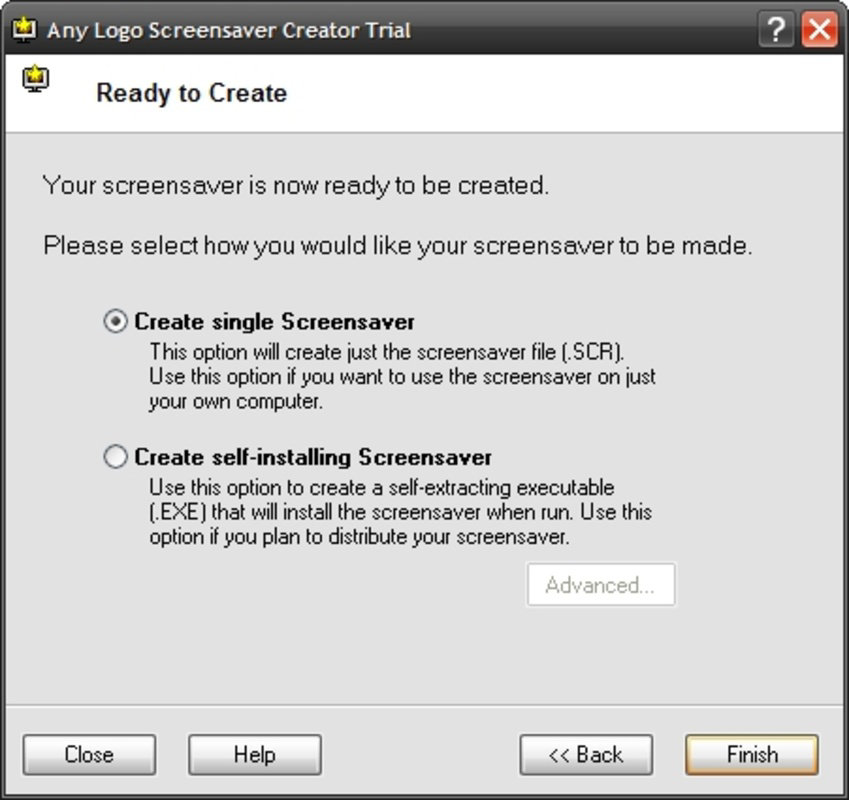
- Automated Output Generation: After design completion, the software automatically generates both an SCR file and a standalone installer. This dual output simplifies deployment across multiple devices, making distribution for corporate or public use efficient and scalable.
For example, a marketing team can design a screensaver with a bouncing logo effect and deploy it across all office computers using the generated installer. Similarly, a trade show booth could run the screensaver on a display monitor to continuously promote the brand during events. These practical applications demonstrate how the app supports real-world branding objectives with minimal overhead.
Interface, UX & Performance
The user interface of Any Logo Screen Saver Creator emphasizes simplicity and direct access to core functions. Navigation is linear and intuitive, with primary actions—logo import, effect selection, preview, and export—presented clearly. Visual layout avoids clutter, focusing on essential tools to prevent user confusion. The design reflects a classic Windows desktop application aesthetic, consistent with its release date.
Navigation flow is straightforward: users import their logo, select an animation effect, preview the result, and generate output files. The preview function allows real-time visualization of the final screensaver, enabling immediate adjustments. Although the developer did not list formal performance metrics, the app’s small file size of 2.5 MB suggests lightweight operation. It is likely to run smoothly on standard Windows systems, including older hardware.
Responsiveness appears to be stable based on its long-term availability. The app does not require high system resources, making it suitable for use on machines with limited processing power. Stability during the creation and export phases is implied by its continued use in professional environments. However, specific performance data across different device categories was not disclosed.
Platform Compatibility & Technical Requirements
Any Logo Screen Saver Creator is designed for the Windows platform. The software version is 1.0, with a file size of 2.5 MB. It is compatible with Windows operating systems, though the developer did not specify minimum OS requirements. This lack of detailed compatibility information means users should verify system compatibility before installation.
Given its release date in 2008, the app may function best on older Windows versions such as Windows XP, Vista, or 7. However, it may still operate on newer systems like Windows 10 or 11, depending on system configuration and compatibility modes. The absence of official support details for modern OS versions is a consideration for users planning long-term deployment.
Users should be aware that the app does not support macOS, Linux, or mobile platforms. Its functionality is limited to Windows-based desktop environments. No additional technical requirements, such as specific hardware or software dependencies, were listed by the developer.
Pros and Cons
Pros
- Simple, intuitive interface suitable for non-technical users
- Supports quick creation of branded digital displays
- Offers multiple animation effects to customize visual appeal
- Automatically generates both SCR file and installer for easy distribution
- Small file size ensures minimal system impact
Cons
- Platform limited to Windows only
- No official compatibility details for modern operating systems
- Released in 2008; may lack support for current security standards
- No mobile or cross-platform availability
- Developer did not provide updated technical specifications
FAQ
Is Any Logo Screen Saver Creator safe to download and install?
Yes, the app is designed for Windows and generates standard SCR files. As with any software, users should download from trusted sources to ensure security.
Can I use this tool on Windows 10 or Windows 11?
While the developer did not specify compatibility, the app may run on newer Windows versions using compatibility mode. Users are advised to test on their system before full deployment.
Does the app support animated logos or GIFs?
The app accepts static logo image files. Animated formats like GIFs are not supported based on available information.
Is there a free version available?
No, the app is a paid tool priced at $19.95. There is no free or trial version mentioned in the provided details.
How do I distribute the screensaver to multiple computers?
The software automatically generates an installer file, which can be used to deploy the screensaver across multiple devices without manual configuration.
Final Thoughts
Any Logo Screen Saver Creator remains a functional tool for organizations focused on reinforcing brand identity through digital displays. Its straightforward design, customizable animation options, and automated output generation make it a practical choice for businesses seeking a low-effort branding solution. While its age and limited platform support are notable drawbacks, the app continues to serve its purpose effectively in controlled environments.
It is particularly valuable for small businesses, marketing teams, or IT departments managing internal branding efforts. The ability to create and deploy branded screensavers with minimal technical knowledge provides tangible value in promoting visual identity.
For users who need a simple, reliable way to showcase their logo on Windows systems, this tool delivers consistent results. Despite its outdated release date, it maintains relevance in niche branding workflows.
Download Any Logo Screen Saver Creator now
Guides & Tutorials for Any Logo Screen Saver Creator
How to install Any Logo Screen Saver Creator
- Click the Preview / Download button above.
- Once redirected, accept the terms and click Install.
- Wait for the Any Logo Screen Saver Creator download to finish on your device.
How to use Any Logo Screen Saver Creator
This software is primarily used for its core features described above. Open the app after installation to explore its capabilities.
User Reviews for Any Logo Screen Saver Creator 0
No reviews found


